Create a released document list
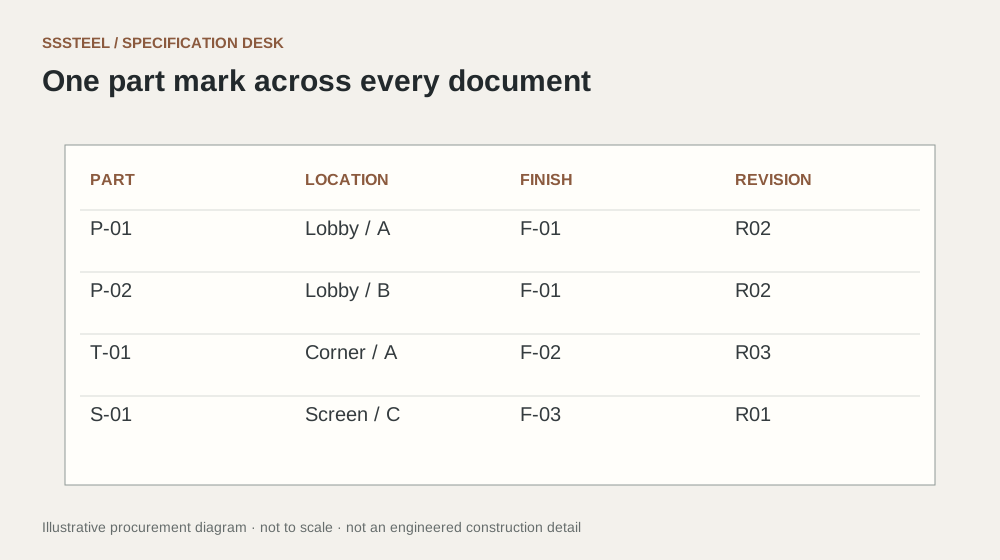
List drawings, schedules, artwork and finish references with their revisions. Identify which files control dimensions and which are reference images. A newer file in a message thread should not silently replace an approved manufacturing document.
Describe the change
For a revision, state what changed and which part marks are affected. Ask the supplier to confirm whether material has been ordered or work has started. Keep the effect on cost, timing and already-made parts visible before authorising the change.
Withdraw the superseded instruction
Mark the old revision as superseded in the shared record and retain it for traceability. Do not delete the history needed to understand an agreed change. Before production, request confirmation of the exact revision being used.
| Decision | Put this in writing |
|---|---|
| Release list | Record each controlling document and revision. |
| Change note | Identify affected parts and decisions. |
| Confirmation | Obtain acknowledgement of the manufacturing revision. |
Put the detail to work.
A revised drawing is emailed after a purchase order was issued. Ask the supplier to confirm which affected parts are already in progress and obtain the consequences before releasing the change. Record the superseded and new revisions together. Sending the latest file is only the communication step; the production instruction is complete when its scope and acceptance are acknowledged.
Before you enquire
- Use unique revision identifiers.
- Separate design review from production release.
- Keep accepted changes with the order.
About this procurement note
The checklists and buying example are original SSSTEEL editorial guidance. Project drawings, supplier documentation and the agreed order govern the actual supply. External references are not product endorsements or proof of SSSTEEL certification.